Instagram safe zone checker
Drop your ads in and see what the Instagram safe zone leaves clear on Stories, Reels and Feed, with TikTok, Facebook and Snapchat one click away.
Add your creative
images and videoDrop files here, or click to pick
PNG, JPG, WebP, MP4, MOV. No size limit, because there is no upload.
Runs in your browser. Nothing is sent anywhere.
Pick the placements
all of them open side by sideKeep dropping files in whenever you like. What is already checked stays put, the new ones are added to it, and the export always sends the full list.
Results
Nothing you opened here was uploaded, stored or sent anywhere.
Other platforms
Top / bottom / each side, as a percentage of your ad. Each page opens the same tool, already set to that platform.
What is the Instagram safe zone?
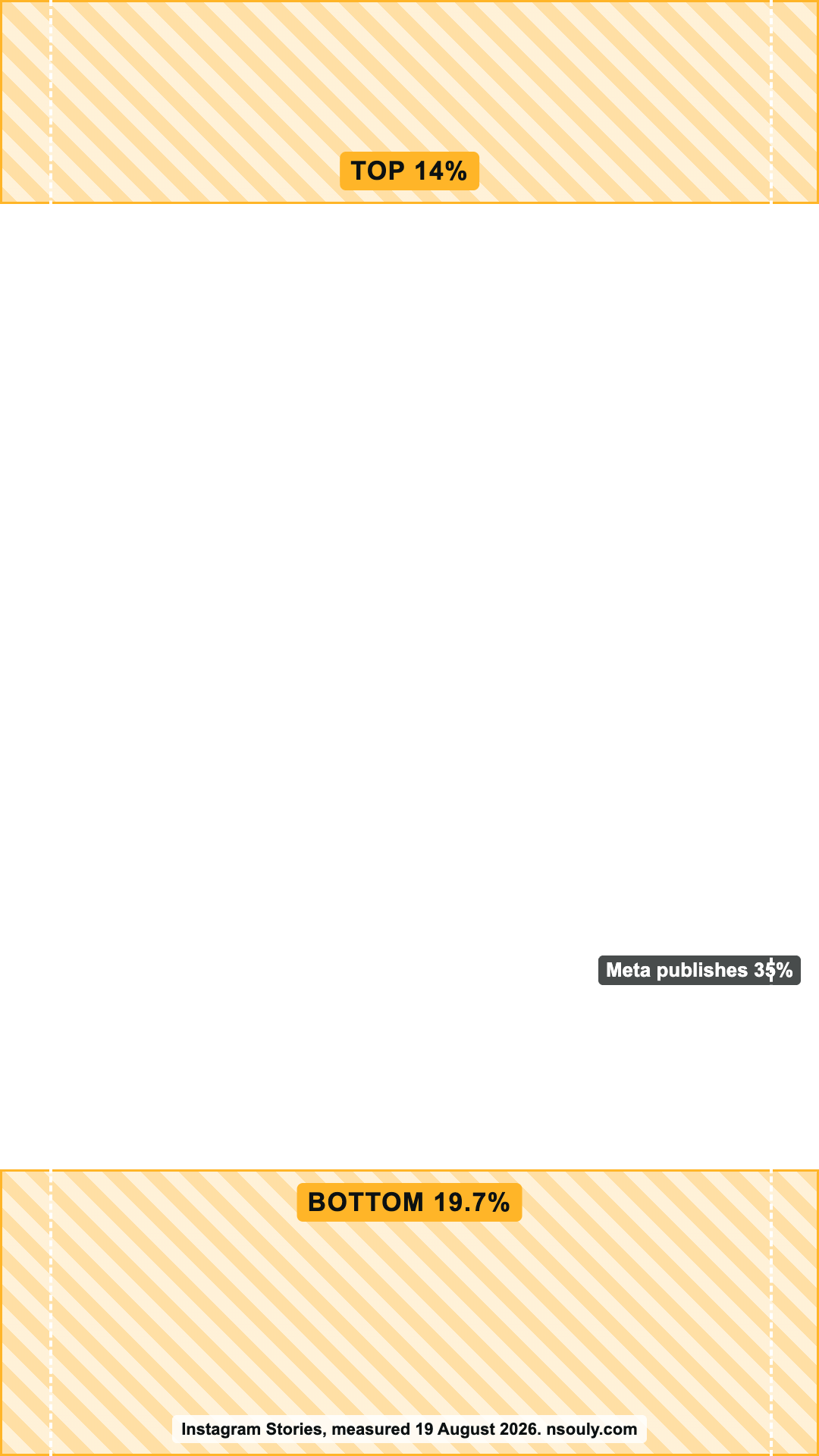
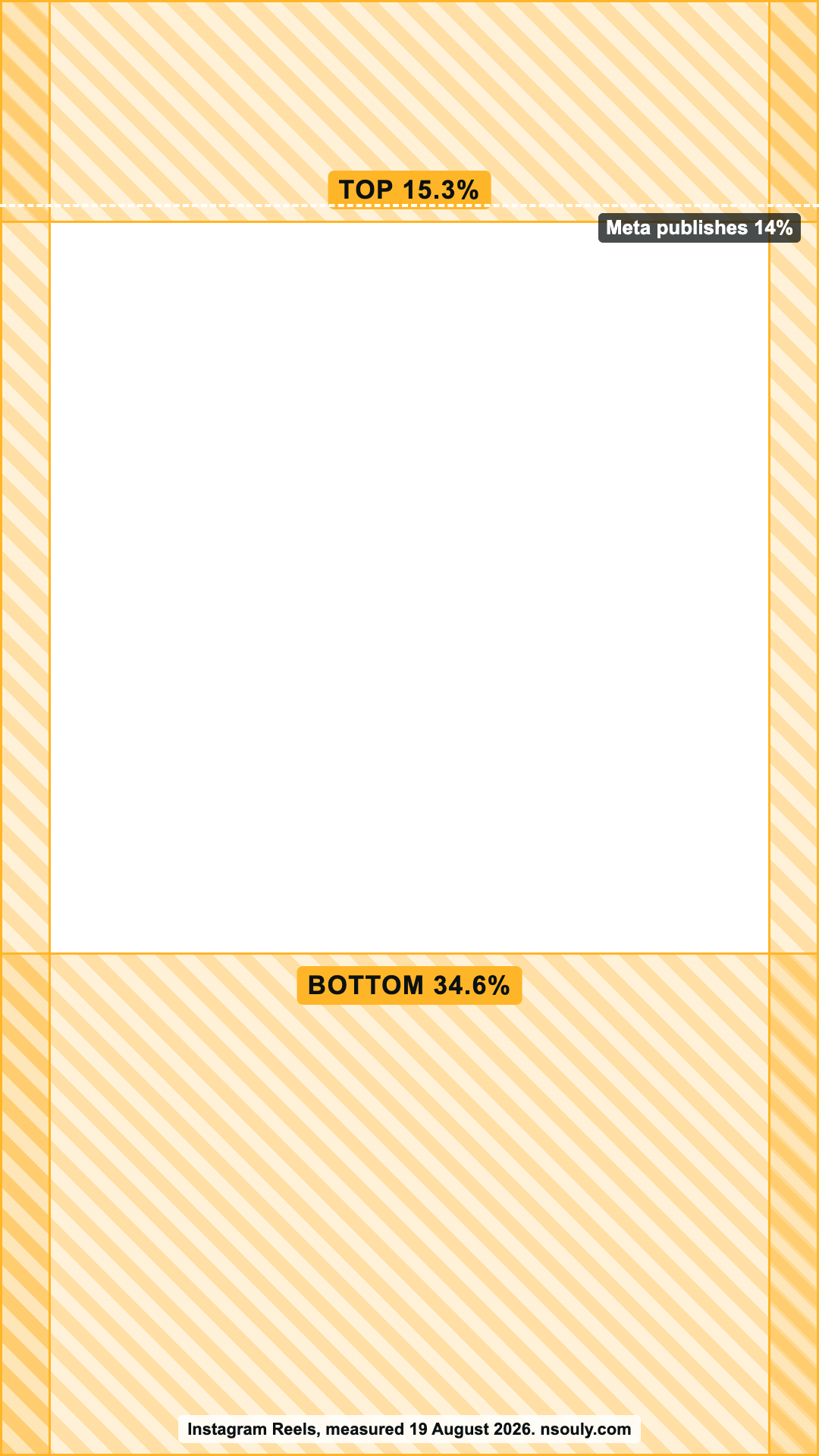
The Instagram safe zone is the part of your ad the app’s interface leaves clear. Meta publishes 14% top, 35% bottom and 6% each side for Stories and Reels. Its own Safe zone guardrail in Ads Manager draws something different. We measured it on 19 August 2026: Stories 14 / 19.7 / 0, Reels 15.3 / 34.6 / 6.2.
Feed has no published figure. Drop your ad in above and the tool shows both readings on your own file, in your browser.
| Placement | Meta publishes | Meta’s own tool draws |
|---|---|---|
| Instagram Stories | 14 / 35 / 6 | 14.0 / 19.7 / 0 |
| Instagram Reels | 14 / 35 / 6 | 15.3 / 34.6 / 6.2 |
| Instagram Feed | No figure | No preview exists |
Top / bottom / each side, as a percentage of your ad.
Instagram story safe zone: 19.7% at the bottom, no side margin
On Instagram Stories, Meta’s own tool covers 14% at the top and 19.7% at the bottom, with no side margin. Meta’s documentation says 35% at the bottom and 6% on each side. That gap is 15 points, or 288px on a 1080x1920 file. Design to the published 35% and 6% and you clear both readings.
The side rule looks like a Reels rule copied onto the Stories page. Reels draws 6.2% on each side. Stories draws none.
Instagram Reels safe zone: 15.3% top, 34.6% bottom, 6.2% sides
On Instagram Reels, Meta’s own tool draws 15.3% at the top, 34.6% at the bottom and 6.2% on each side. That is close to the published 14 / 35 / 6, with slightly more taken at the top. Keep text at least 15.3% down from the top edge, not 14%, and 35% up from the bottom.
The action rail figures that go round, 90px, 120px and 227px, come from a third party measuring a 2023 file. The current guardrail draws no rail. The right side of Reels is a plain 6% margin, top to bottom, the same as the left.
Does Instagram Feed crop a 9:16 ad?
Yes. Feed crops taller media back to 4:5, so a 9:16 file loses about 30% of its height before the call to action row is drawn. Meta publishes no Feed safe zone, only a warning that the call to action can cover your creative. Export a square for Feed: a 1:1 loses nothing to that row.
A second Meta page says 9:16 video in Feed keeps the Reels safe zones. The tool opens on the crop, which is what live delivery shows, and lets you switch to the full 9:16.
Instagram safe zone templates for Stories and Reels
We made 2 Instagram safe zone templates, for Stories and for Reels. Each is a 1080x1920 PNG with the bands we measured drawn in. Put it on the top layer in Figma, Photoshop or Canva, design around it, and hide it before you export. Both are 9:16, so they scale to the 1440x2560 Meta recommends.
Download the Instagram story safe zone template (PNG) Download the Instagram Reels safe zone template (PNG)
Instagram safe zone questions
Is the IG story safe zone the same as the Reels one?
No. Meta publishes 14 / 35 / 6 for both, but its own tool draws Stories at 14 / 19.7 / 0 and Reels at 15.3 / 34.6 / 6.2. Stories has no side margin and a much shallower bottom. One file running in both should clear the larger figure on each edge: 15.3% top, 35% bottom and 6.2% on each side.
Does a disclaimer change the Instagram reel safe zone?
Yes. Meta’s Help Centre asks for 40% clear at the bottom on a Reels ad with a disclaimer, up from 35%. The top stays at 14% and the sides at 6%. Since July 2025 Meta has changed the wording of that rule from “can” to “should”, so treat 40% as the requirement on any Reels ad that carries one.
What size should an Instagram Story or Reels ad be?
9:16. Every Meta Stories and Reels page recommends 1440x2560, and 1080x1920 runs too. Stories images go up to 30MB and Stories video up to 4GB, from 1 second to 60 minutes. Every figure on this page is a percentage, so it holds at either size.
Does cropping an ad stop it running in Instagram Feed?
No. Meta says cropping alone will not restrict delivery. A 9:16 file still runs in Feed if Feed is switched on, cropped by Meta rather than by you. Turning the placement off in Ads Manager is the only way to stop it, so pick placements on purpose and export an asset for every shape you leave on.
Is Instagram Explore still an ad placement?
No. Meta removed Instagram Explore as a placement in January 2026, so the Instagram placements left to design for are Stories, Reels and Feed, and those are the 3 this checker draws. Spec sheets and templates that still list an Explore safe zone are out of date.
Do my files get uploaded anywhere?
No. The check runs entirely in your browser, so your creative never leaves the machine you are sitting at. There is no account, no upload, no size limit and nothing is stored. That matters if you are holding an unreleased campaign under an NDA.
Instagram and Facebook are trademarks of Meta Platforms, Inc. This tool is not affiliated with, endorsed by or sponsored by Meta. Platforms change these figures without notice, so every number here carries the date it was checked. Treat it as a design guide, not a guarantee, and confirm anything that matters against your own live delivery.